Devlog
Porting a console-based Tetris game to the browser (with Blazor)
While making my previous game B SNAKE, I learned how fun and addicting it is to build games with C# and Blazor. WebAssembly (WASM) is ultra-convenient for me as a dev and for players. I get to program in the same language I use at work every day, and players can play a game on their phone or PC without installing anything.
After completing that project, I had a starter template for any basic 2D game. So, I used it to make another game playable in the browser.
Revive (or, rerender)
Years ago, I built a Tetris clone in C#. The core logic worked, but it was ugly. The main problem is it was running via the command-line,
rendered in the console by my custom ConsoleTetrisRenderer class. See the results yourself.
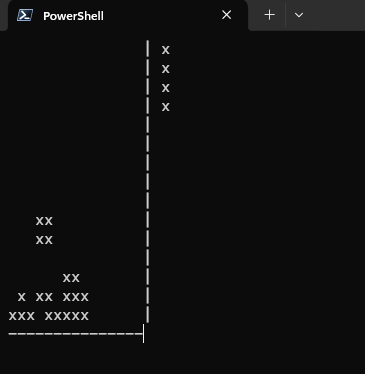
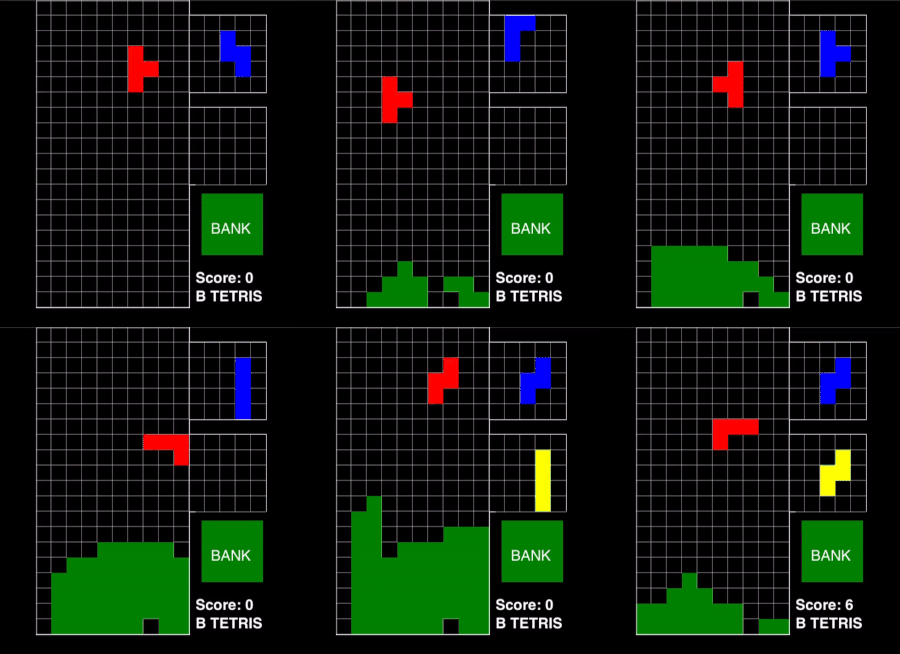
Talk about a glow-up. This is how it looked when I developed the core game (back in 2020). Porting it over to Blazor was a game changer.
After completing the B SNAKE project, it became clear to me that I could massively revamp this game's graphics and playability by adapting it to my new Blazor game template. Once the scaffolding was set up, all I'd need to do is create a new renderer implementation that draws to the Blazor HTML5 Canvas. And so I did that! I fixed some bugs with piece rotations and added a button to bank the current piece.
Conclusion
I'm happy that I could improve the game's cosmetics and extend its availability to the browser by adding a new renderer. and wiring up the plumbing to get Blazor to drive the game loop. I also saved some time there because I started with my previous Blazor game as a starter template for this project. It was really fun to breathe life into an old game I made about 4 years ago.